Google Ads continues to expand the capabilities of Performance Max (PMax) campaigns, and one of the latest additions is Animated Clips. This new creative enhancement allows advertisers to transform static image assets into short animated videos automatically, helping campaigns capture more attention across Google’s advertising inventory.
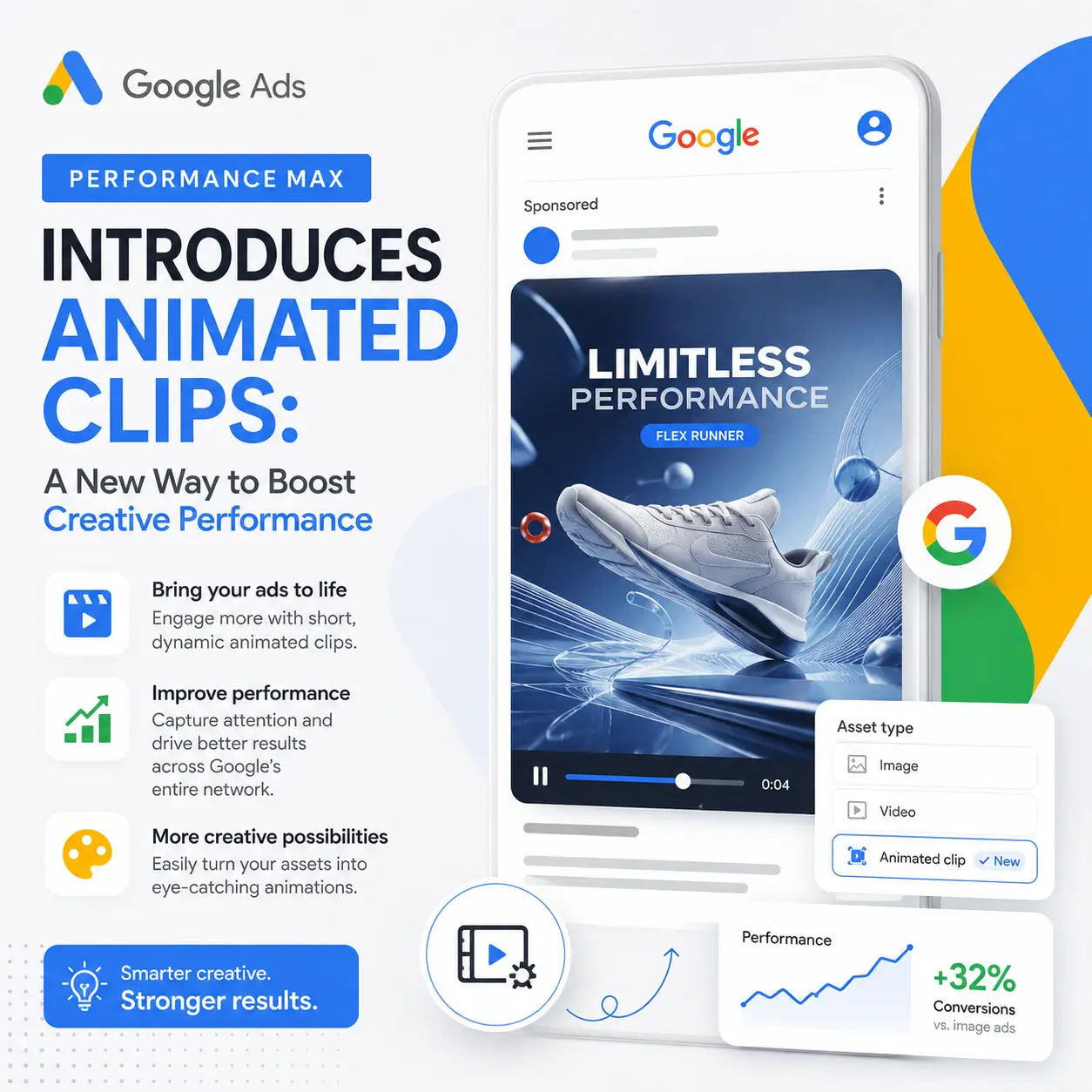
What Are Animated Clips in Performance Max?
Animated Clips are AI-generated video assets created from the images already uploaded to your Performance Max campaign. Instead of relying solely on static creatives, Google can automatically generate motion-based content that is eligible to appear across:
- YouTube
- Discover
- Gmail
- Google Display Network
- Google Search visual placements
The goal is simple: create more engaging ads without requiring additional video production resources.
Why Google Introduced Animated Clips
Video content consistently outperforms static images in many advertising environments. However, many advertisers—especially small businesses—don’t have the time or budget to create professional videos.
Animated Clips help bridge that gap by:
- Increasing creative variety
- Improving engagement rates
- Expanding inventory eligibility
- Reducing production costs
- Leveraging AI to generate assets automatically
This enhancement aligns with Google’s broader strategy of using artificial intelligence to simplify campaign management and improve performance.
Benefits for Advertisers
1. Increased Reach
Campaigns with video assets can access more placements across Google’s ecosystem. Animated Clips help advertisers qualify for those placements even if they don’t have dedicated video creatives.
2. Better User Attention
Motion naturally attracts attention. Animated visuals can help stop users from scrolling and increase interaction with your ads.
3. Faster Creative Production
Instead of hiring designers or video editors, advertisers can use existing image assets to generate video-like experiences automatically.
4. Enhanced Performance Max Optimization
More asset variations provide Google’s machine learning systems with additional creative combinations to test and optimize.
Best Practices for Animated Clips
To maximize results:
Use High-Quality Images
The animation quality depends heavily on the images provided. Use:
- High-resolution product photos
- Professional lifestyle images
- Strong branding elements
Upload Multiple Visual Assets
Providing a variety of images gives Google’s AI more material to create compelling animations.
Include Strong Headlines
Even the best visuals need effective messaging. Ensure your headlines and descriptions clearly communicate your value proposition.
Monitor Asset Performance
Review asset reports regularly to understand which creative combinations are driving conversions and engagement.
Who Should Use Animated Clips?
Animated Clips can be particularly valuable for:
- Ecommerce stores
- SaaS companies
- Local businesses
- Lead generation campaigns
- Agencies managing multiple accounts
Businesses without dedicated video production capabilities may see the greatest benefit from this feature.
Final Thoughts
Animated Clips represent another step in Google’s effort to make AI-powered advertising more accessible and effective. By automatically transforming images into engaging motion assets, Performance Max campaigns can potentially reach more users and improve creative performance with minimal effort.
As Google continues to invest in automation and AI-generated creatives, advertisers who embrace these tools early may gain a competitive advantage in both efficiency and campaign performance.
If you’re running Performance Max campaigns, now is a good time to review your image assets and explore how Animated Clips can enhance your advertising strategy.
#GoogleAds #PerformanceMax #DigitalMarketing #PPC #Advertising #AI #MarketingAutomation #trabajoremoto #nomadadigital #marketingdigital